
Time monitoring is a tedious administrative task that independent professionals like to avoid. You complete a long client call, go right into coding or writing, and it’s 4:00 p.m. You have no clear record of how those hours were spent.
Academic research into software maintenance and consulting workflows verifies this widespread dissatisfaction: time tracking is routinely ranked as the most unpleasant aspect of the job. When you operate without an accurate log, you must rely on guessing.
This results in a psychological phenomenon known as “discounting”. If a task takes four hours but you believe you should have completed it in two, guilt sets in. You charge for two. You suffer a loss of revenue.
Choosing the correct time tracking tool will prevent this money drain. A tool will not alleviate your personal guilt, but reliable historical data will provide a solid foundation for your pricing and estimate techniques.
Here’s a hands-on breakdown of the software that’s genuinely worth your time, stripped of marketing hype and tested for daily usability.
The Friction Problem: Manual vs. Structured Entry
The core difference between tracking tools is how much friction they introduce when you want to start working.
Toggl Track represents the frictionless approach. You open the app or browser extension, type a few words into a blank text field, and hit play. You do not have to assign a client or a project to start the clock. You can clean up the data later. This minimal barrier to entry makes it exceptionally easy to build a tracking habit.
Harvest, by contrast, forces structure. Before the timer starts, the interface requires you to navigate two dropdown menus: you must select a specific project and a predefined task. If you just landed a new client on a surprise phone call, you cannot simply hit a button. You have to navigate to the dashboard, create the client, create the project, and then start the timer.
The trade-off is clarity. While Harvest’s two-dropdown delay introduces daily friction, it eliminates month-end administration. Every tracked minute is already categorized and ready to be converted into an invoice. Toggl’s free-form entry often results in weeks of messy data labeled “no project” if you lack the discipline to categorize items retroactively.
Feature Breakdown: Top Contenders for 2026
The Free Tier Heavyweights: Clockify and Jibble
If you run a tight budget, you need a tool that does not aggressively restrict core features.
Clockify is the undisputed king of the free tier. It offers unlimited users, unlimited projects, and basic reporting at zero cost. You can even set billable rates and generate basic invoices without paying. The downsides are largely aesthetic and technical. The user interface feels slightly dated, and freelancers frequently report sync delays and bugs within the mobile app.
Jibble is an excellent, slightly lesser-known alternative. It offers full access to project breakdowns, real-time syncing across mobile and desktop, and clean timesheet exports entirely on its free plan. It is particularly strong if you ever collaborate with subcontractors and need to view their hours without paying per-seat software licenses.
The Billing and Admin Hubs: Harvest and FreshBooks
When your primary goal is turning hours into cash with zero copy-pasting, you need an administrative hub.
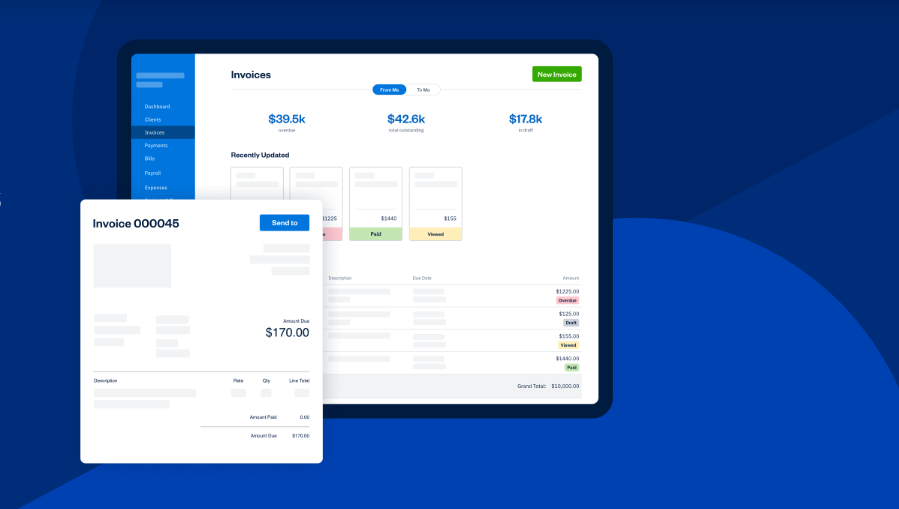
Harvest ($11–$12/user/mo) integrates time tracking directly with Stripe and PayPal. You track your time, review the dashboard, and click a button to send a branded invoice. It also features built-in budget alerts. If you sell a 20-hour retainer, Harvest sends an automated warning when you hit 16 hours, preventing unpaid scope creep.
FreshBooks ($19/mo base) takes this further by operating as a complete accounting suite. It handles expense logging, mileage tracking, and bank reconciliation alongside time tracking.
If you already use a robust accounting tool like Xero or QuickBooks (adhering to strict international financial reporting standards), Harvest’s native integrations are usually sufficient. If you want one single dashboard for your entire business, FreshBooks is the better investment.
The Passive AI Trackers: Timely and RescueTime
For consultants who cannot remember to click a start button, automation is the only solution.
Timely (starting at $11/user/mo) runs a background application called “Memory” on your machine. It quietly logs every document you open, every website you visit, and every meeting you attend. At the end of the day, an AI analyzes this activity and drafts a timesheet for you. You review and approve it. It eliminates forgotten billable hours entirely, though it requires a few days to learn your specific work patterns.
RescueTime ($12/mo for premium) also runs passively, but its focus is strictly on personal productivity rather than client billing. It auto-categorizes applications into productive or distracting buckets, showing you exactly where your day leaked away.
A Real-World Workflow Scenario
To understand how these feature differences impact daily life, consider the case of a freelance web developer managing three regular clients and a rotating list of smaller tasks.
Originally, the developer used Toggl Track’s free plan. The tracking experience was fast and visually pleasing. However, Toggl’s free tier lacks built-in invoicing.
Every two weeks, the developer spent 40 to 60 minutes exporting CSV files from Toggl, manually cross-referencing hours, and rebuilding invoices line-by-line in a separate tool.
By switching to Harvest, the workflow was condensed. Because the developer was forced to categorize tasks precisely before tracking, month-end billing became instantaneous.
Track time -> Review -> Send invoice via integrated Stripe link. The transition eliminated an hour of unpaid administrative work per billing cycle, easily justifying the $11 monthly subscription cost.
Comparison Snapshot
| Tool | Starting Price | Best Core Use Case | The Main Drawback |
|---|---|---|---|
| Toggl Track | Free (Paid at $9/mo) | Frictionless tracking & rich reporting | No native invoicing on the free tier. |
| Harvest | $11-$12/mo | Seamless hourly billing & budget alerts | Mandatory dropdown selections slow down the start timer. |
| Clockify | Free (Paid at $3.99/mo) | Unlimited free projects and users | Mobile app can be buggy; dated UI. |
| Timely | $11/mo | Automated background tracking | High starting cost; AI requires a learning phase. |
| TallyHo | Free (Paid at $5/mo) | Retroactive logging for solo workers | Lacks advanced team management features. |
| Kimai | Free (Open Source) | Privacy-first, GDPR-compliant tracking | Requires technical setup if self-hosting. |
Independent Alternatives: TallyHo and Kimai
Most major tracking tools are built for corporate environments and scaled down for freelancers. If you want software genuinely built for sole operators, look at the independent market.
TallyHo takes a fundamentally different approach to the user interface. It is built entirely around logging time after the work is complete. Instead of managing running timers, you complete a task and quickly log the block of time.
It avoids fragile third-party API connections by generating universal timesheets you can copy and paste into any external invoicing software.
Kimai appeals to developers and privacy-conscious consultants. It is an open-source platform hosted in Europe, ensuring strict data protection and GDPR compliance. You can self-host the software on your own server for free, or pay for their cloud SaaS version. It handles time, expenses, and invoicing in one secure environment.
Common Mistakes to Avoid
- Using generic tags. If you label every block of time as “Admin” or “Development,” your historical data becomes useless for future project estimation. Be specific.
- Tracking only billable hours. If you do not track time spent on marketing, emails, and invoicing, you cannot calculate your true, effective hourly rate.
- Relying on memory. Waiting until Friday afternoon to log your Monday morning hours is guaranteed to result in lost revenue. If you cannot maintain a daily habit, pay for an automated tool like Timely.
Final Thoughts
The most effective freelance time tracking tool is one that does not interfere with your workflow.
If you are constantly fighting with your software, you will soon quit using it. Toggl Track is unsurpassed in terms of sheer tracking speed and reporting detail. Harvest is a strict, reliable system that drives you to stay organised and creates invoices automatically. If you have absolutely zero budget, create a Clockify account.
Frequently Asked Questions
Do I absolutely need a tool with built-in invoicing?
No. Many freelancers prefer to keep their tracking and accounting separate. If you already use robust accounting software, a lightweight tracker with simple CSV export functionality (like the free versions of Toggl or Clockify) works perfectly.
What happens if I forget to turn off my timer?
Most modern tools, including Toggl and Harvest, feature idle detection. If your computer registers no keyboard or mouse movement for a set period, the software flags the inactivity and allows you to discard the idle time when you return easily.
Are automated background trackers an invasion of privacy?
It depends on the tool. Apps designed for freelancers, like Timely, keep your background data 100% private and stored locally; only you see the timeline before approving it. However, tools designed for corporate monitoring (like Hubstaff or Time Doctor) often take random screenshots and track GPS locations. Always read the privacy policy.
Can I track time offline?
Yes. High-quality apps like Toggl Track and TimeCamp store your running timers locally on your device. The moment your computer or phone reconnects to the internet, the data syncs automatically to the cloud.